

Lifetime Deal — Limited Availability
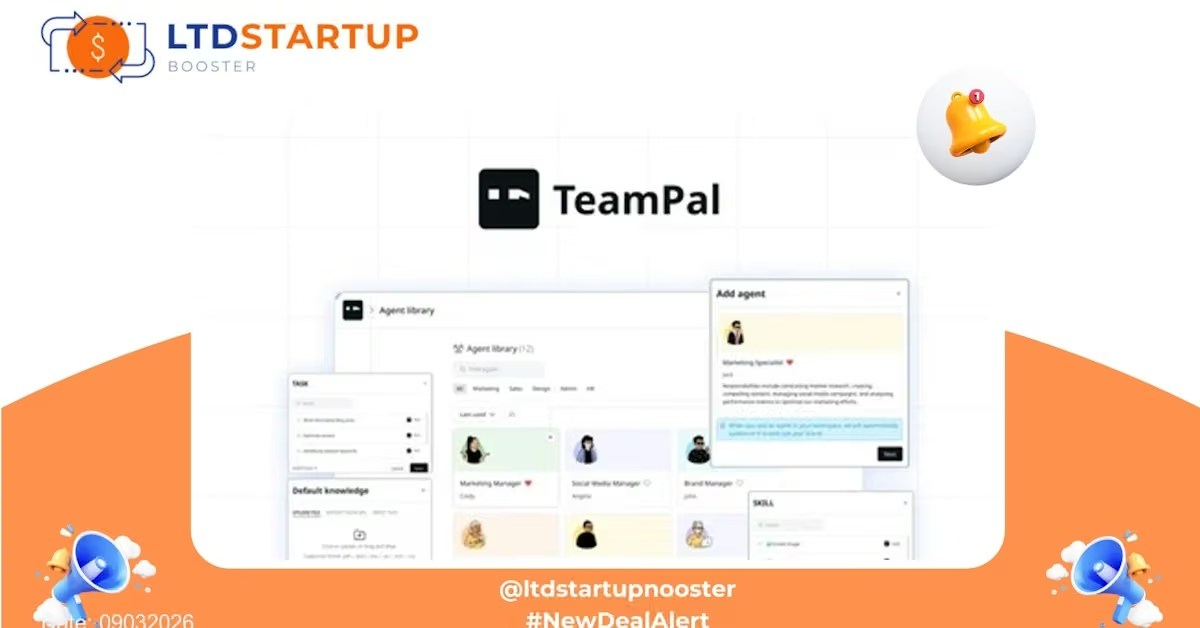
TeamPal: Your AI Team Assistant for Faster Decisions and Fewer Meetings
Introduction
TeamPal is an AI-first productivity platform designed to consolidate team knowledge, streamline task handoffs, and reduce time spent in repetitive coordination. This lifetime deal offers business teams one-time access to TeamPal’s core collaboration and AI-powered workflow capabilities — a smart fit for startups, small teams, and departments that want to centralize knowledge and speed up execution without recurring fees.
Key Features
- Centralized Team Knowledge Base — Create shared, searchable documentation and playbooks so answers live in one place. TeamPal’s interface is built for quick lookups and structured notes so onboarding and cross-team handoffs are smoother.
- AI Summaries & Insights — Automatically summarize long threads, meeting notes, and document updates into concise action items and highlights to keep everyone aligned without re-reading lengthy content.
- Task & Workflow Integration — Convert notes and AI-generated actions into tracked tasks or projects. Teams can assign owners, deadlines, and priorities without switching between multiple apps.
- Smart Search — Search across documents, tasks, and conversations with AI-ranked results that surface the most relevant context first, reducing the time to find critical information.
- Shared Inbox & Comments — Route incoming requests or queries into a shared workspace where team members can claim, triage, and resolve items transparently.
- Automations & Templates — Use pre-built templates for common processes (onboarding, incident response, post-mortems) and automate repetitive steps to keep workflows consistent.
- Integrations — Connect to common work apps (calendar, file storage, common task platforms and webhooks) so data flows into TeamPal rather than being siloed.
- Permissions & Roles — Granular access controls let you manage who can view, edit, or publish knowledge and tasks — important for cross-functional teams with differing data needs.
These features are presented in plain terms so decision-makers can evaluate practical value for their teams. For full technical details and limits included in the lifetime package, check the deal page.
Practical Use Cases
- Customer Support Handoff — Create a searchable repository of troubleshooting guides and have AI summarize long email threads into ticket action items that are assigned to the right agent.
- Product Launch Coordination — Keep release notes, marketing assets, and launch tasks in one place. Use templates to ensure each launch follows the same playbook and track who’s responsible for what.
- New Employee Onboarding — Replace scattered docs with a living onboarding playbook that automatically highlights required readings and tasks for new hires, reducing the manager’s manual follow-up load.
- Weekly Executive Briefs — Let TeamPal convert operational updates into concise executive summaries so leadership gets the essentials without diving into every report.
- Cross-Functional Projects — Align engineering, design, and marketing by surfacing the most relevant docs and next steps in a single workspace, avoiding miscommunication and duplicate work.
How TeamPal Stands Out — Comparison with Popular Tools
Many teams stitch together chat, docs, and task tools to get a similar outcome. Here’s how TeamPal differs from more familiar options:
| Category | Typical Competitors | Where TeamPal Excels |
|---|---|---|
| Real-time chat & team discussion | Slack, Microsoft Teams | Focuses less on chat noise and more on turning discussions into searchable knowledge and actionable tasks. |
| Project & task management | Asana, ClickUp, Monday.com | Combines task tracking with AI-generated summaries and knowledge context, reducing manual task creation and status chasing. |
| Documentation & notes | Notion, Confluence | Optimized for fast lookup, AI summarization, and automated task creation from notes — designed to bridge docs and execution. |
In short, TeamPal is positioned as a bridge between knowledge, conversation, and execution with AI assistance to reduce friction — not just another chat or docs tool.
Security and Compliance
Security is critical when you centralize team knowledge. TeamPal is built with enterprise-minded controls: encrypted connections (TLS) for data in transit, role-based permissions to limit access, and account protections such as two-factor authentication. The platform also offers export and data retention controls so teams can manage their information lifecycle.
If your organization requires specific certifications or contractual safeguards (e.g., SOC, HIPAA, or GDPR terms), review TeamPal’s security and compliance documentation and contact their team before committing. Lifetime access purchases may have different support and SLAs versus enterprise plans — always confirm details on the deal page.
Deal Is Closing Soon — Act Now
This lifetime access opportunity is time-limited and available while allocations last. The deal publish date :09032026 — act quickly: once sold out this lifetime package may not return. If you’re evaluating tools to reduce meeting overhead, speed onboarding, and tie knowledge directly to execution, now is a good time to check the offer.
Pricing Tiers
|
Tier 1 $69 $1,950 Lifetime access |
Tier 2 $199 $3,947 Lifetime access |
Recommended Tier 3 $349 $5,850 Lifetime access |
Tier 4 $569 $7,947 Lifetime access | |
|---|---|---|---|---|
| Total knowledge size | 10 GB | 50 GB | 100 GB | 150 GB |
| File size per upload | Up to 30 MB | Up to 50 MB | Up to 90 MB | Up to 90 MB |
| Total agents | 25 | 30 | Unlimited | Unlimited |
| Published agents | 5 | 10 | Unlimited | Unlimited |
| AI credits per month | 1,000 (700 chat credits + 300 workflow credits) | 5,000 (4,000 chat credits + 1,000 workflow credits) | 20,000 (17,500 chat credits + 2,500 workflow credits) | 30,000 (25,000 chat credits + 5,000 workflow credits) |
| Member seats | 0 | 3 | 10 | 15 |
| Historical chat saved | – | – | – | – |
| MCP Servers | – | – | – | – |
| Mini-apps | – | – | – | – |
| Workflows | – | – | – | – |
| Support configure workspace | – | – | – | – |
[1]